Deltek Vantagepoint vs Monograph
Deltek Vantagepoint and Monograph both run projects, people, and billing for engineering and architecture firms. Vantagepoint is an ERP that covers CRM, resource management, projects, and accounting, or runs as Front Office only beside your existing financial system. Monograph covers project planning, staffing, invoicing, and payments, with QuickBooks Online keeping the books.
Free for 14 days, with every feature included.
- Compared
- Deltek Vantagepoint and Monograph
- Published by
- Kineo, which makes competing software
- Details
- Checked October 2026
Which one fits your firm
Choose Deltek Vantagepoint if you want
- CRM and pipeline, resource planning, project planning, and accounting in one system
- A Front Office setup that connects pipeline, people, and projects to the financial system you already use
- Dela, which answers questions in plain language, drafts emails, and checks project financials each night with one-click recommendations
- An MCP server module, described in the 2026.4 documentation, for connecting Claude, ChatGPT, or Microsoft Copilot to Vantagepoint data
- Automated AP approvals and purchasing, and Vantagepoint Payments for inbound and outbound payments
- Connected Deltek products such as PIM for project files, submittals, and correspondence, and ArchiSnapper for field observations
Choose Monograph if you want
- Phased project plans with fees, consultants, and budgets tracked together in MoneyGantt
- Staffing, capacity, and utilization planning across the firm, with AI staffing recommendations and profit reports
- AI that turns forwarded email into bills, expenses, and notes, and suggests timesheet entries from your calendar
- Clients paying invoices online by card or ACH through Stripe, with an AR Assistant that follows up on late invoices for firms using those payments
- Consultant budgets, bills, and payouts managed by phase alongside your own fees
- QuickBooks Online as the ledger, with invoices, consultant bills, and expenses sent to it and costs brought back
Deltek Vantagepoint and Monograph side by side
Each product described in its own terms, from its website and documentation.
| Job | Deltek Vantagepoint | Monograph |
|---|---|---|
| Scope and accounting | ||
| What it covers | CRM and pipeline, resource management, project planning, financial management and billing, and payments, in one ERP. | Proposals, phased project plans, staffing, time, invoicing, payments, and profit reports, with Pipeline for leads as an add-on. |
| Accounting | Its own financial management, or Front Office only, which connects pipeline, people, and projects to your existing financial system. | Invoices, consultant bills, and expenses go to QuickBooks Online, and costs come back. Paid status syncs both ways on QuickBooks Plus or Advanced. US firms only. |
| Built for | Engineering, architecture, and consulting firms of all sizes, from small firms to large multi-office ones. | Engineering and architecture firms. It markets to engineering firms directly, including civil firms. |
| Projects and people | ||
| Project planning | Detailed project plans, Gantt charts, and project dashboards, with Dela warning about earned revenue gaps and spending risks. | Phased plans with fees, milestones, and deliverables. MoneyGantt shows planned, logged, invoiced, and paid amounts. |
| Staffing | Resource views of who is over- or underutilized, skills search, and staffing forecasts. | Availability and utilization by person, capacity planning, and AI staffing recommendations based on experience and capacity. |
| Time and expenses | Timesheet and expense entry, with Dela able to submit expense reports in release 2026.4. | Smart Time suggests entries from your calendar and desktop activity, and you can log time in plain language on mobile. |
| Billing | ||
| Invoices and payments | Billing and invoicing workflows in Vantagepoint's financial management, automated AP invoice approvals, and Vantagepoint Payments for payments coming in and going out. | Fixed fee, hourly, consultant, expense, retainer, and percent complete invoices, with batch drafts and reminders until paid. Clients pay online by card or ACH through Stripe, and you can pay consultants from Monograph. |
| Assistants and AI | ||
| Assistant in the product | Dela is built into Vantagepoint and works within each user's security role. It answers questions in plain language, drafts emails and project summaries, and flags projects each night with suggested one-click actions. In release 2026.4 it can also create and update records in supported areas, submit expense reports, and use files as context. | AI built into specific jobs: Smart Inbox, Smart Time, the AI Budget Builder, AI staffing recommendations, AI Budget Risk Ranking, and the AR Assistant. |
| The Vantagepoint Connect add-in for Outlook and Gmail syncs contacts, messages, and activities with Vantagepoint's CRM. | One Smart Inbox address for the firm. Team members forward mail from their registered email. AI pulls bills, expenses, deliverables, notes, files, and contacts out of the message and its attachments for someone to review. | |
| Claude, ChatGPT, and other assistants | The 2026.4 documentation describes an MCP server module that connects Claude, ChatGPT, or Microsoft Copilot for answers, project status, budgets, and approvals within each user's security role. In Claude, it connects through the Deltek Data Integration connector with OAuth sign-in. | Its help center says it doesn't offer an open API. Ask Monograph which outside tools it connects to. |
| Buying | ||
| Price | Priced by quote from Deltek. | Its pricing calculator estimates $60 to $75 per seat per month, billed annually. |
| Getting started | Purchase starts with a demo or a sales conversation with Deltek. | Purchase starts with a demo. |
Scope and accounting
What it covers
- Deltek Vantagepoint
- CRM and pipeline, resource management, project planning, financial management and billing, and payments, in one ERP.
- Monograph
- Proposals, phased project plans, staffing, time, invoicing, payments, and profit reports, with Pipeline for leads as an add-on.
Accounting
- Deltek Vantagepoint
- Its own financial management, or Front Office only, which connects pipeline, people, and projects to your existing financial system.
- Monograph
- Invoices, consultant bills, and expenses go to QuickBooks Online, and costs come back. Paid status syncs both ways on QuickBooks Plus or Advanced. US firms only.
Built for
- Deltek Vantagepoint
- Engineering, architecture, and consulting firms of all sizes, from small firms to large multi-office ones.
- Monograph
- Engineering and architecture firms. It markets to engineering firms directly, including civil firms.
Projects and people
Project planning
- Deltek Vantagepoint
- Detailed project plans, Gantt charts, and project dashboards, with Dela warning about earned revenue gaps and spending risks.
- Monograph
- Phased plans with fees, milestones, and deliverables. MoneyGantt shows planned, logged, invoiced, and paid amounts.
Staffing
- Deltek Vantagepoint
- Resource views of who is over- or underutilized, skills search, and staffing forecasts.
- Monograph
- Availability and utilization by person, capacity planning, and AI staffing recommendations based on experience and capacity.
Time and expenses
- Deltek Vantagepoint
- Timesheet and expense entry, with Dela able to submit expense reports in release 2026.4.
- Monograph
- Smart Time suggests entries from your calendar and desktop activity, and you can log time in plain language on mobile.
Billing
Invoices and payments
- Deltek Vantagepoint
- Billing and invoicing workflows in Vantagepoint's financial management, automated AP invoice approvals, and Vantagepoint Payments for payments coming in and going out.
- Monograph
- Fixed fee, hourly, consultant, expense, retainer, and percent complete invoices, with batch drafts and reminders until paid. Clients pay online by card or ACH through Stripe, and you can pay consultants from Monograph.
Assistants and AI
Assistant in the product
- Deltek Vantagepoint
- Dela is built into Vantagepoint and works within each user's security role. It answers questions in plain language, drafts emails and project summaries, and flags projects each night with suggested one-click actions. In release 2026.4 it can also create and update records in supported areas, submit expense reports, and use files as context.
- Monograph
- AI built into specific jobs: Smart Inbox, Smart Time, the AI Budget Builder, AI staffing recommendations, AI Budget Risk Ranking, and the AR Assistant.
Email
- Deltek Vantagepoint
- The Vantagepoint Connect add-in for Outlook and Gmail syncs contacts, messages, and activities with Vantagepoint's CRM.
- Monograph
- One Smart Inbox address for the firm. Team members forward mail from their registered email. AI pulls bills, expenses, deliverables, notes, files, and contacts out of the message and its attachments for someone to review.
Claude, ChatGPT, and other assistants
- Deltek Vantagepoint
- The 2026.4 documentation describes an MCP server module that connects Claude, ChatGPT, or Microsoft Copilot for answers, project status, budgets, and approvals within each user's security role. In Claude, it connects through the Deltek Data Integration connector with OAuth sign-in.
- Monograph
- Its help center says it doesn't offer an open API. Ask Monograph which outside tools it connects to.
Buying
Price
- Deltek Vantagepoint
- Priced by quote from Deltek.
- Monograph
- Its pricing calculator estimates $60 to $75 per seat per month, billed annually.
Getting started
- Deltek Vantagepoint
- Purchase starts with a demo or a sales conversation with Deltek.
- Monograph
- Purchase starts with a demo.
How much of the firm each one runs
Deltek describes Vantagepoint as an ERP for engineering, architecture, and consulting firms that connects projects, pipeline, people, and financials. Alongside CRM, resource management, project planning, and billing, it handles AP approvals, purchasing, and payments. It also connects to separate Deltek products, such as PIM, for project files, submittals, and correspondence, and ArchiSnapper, for field observations and punch lists. Confirm which ones your quote includes.
Monograph covers proposals, phased plans, staffing, time, invoicing, client and consultant payments, and profit reporting, with Pipeline for leads as an add-on, and leaves accounting to QuickBooks Online.
Deltek says Vantagepoint is used by small, mid-sized, and large multi-office firms, so decide by function, such as whether you want CRM, resource forecasts, and accounting in the same system as your projects.
Accounting and QuickBooks Online
Vantagepoint can run the firm's financials itself. Firms that want to keep their current financial system can implement Front Office only, which connects pipeline, people, and projects to that system. If your ledger is QuickBooks Online, ask Deltek how Front Office would connect to it.
Monograph works with QuickBooks Online for US firms. Invoices, consultant bills, and expenses go from Monograph to QuickBooks, project and labor costs come back for its profit reports, and paid status updates in both systems on QuickBooks Online Plus or Advanced. Its QuickBooks FAQ says invoices already in QuickBooks don't import, so past billing goes in as a total on each project.
Planning projects and people
Vantagepoint's resource management shows who is over- or underutilized, with skills search, staffing forecasts, and planning at more than one level. Projects get detailed plans, Gantt charts, and dashboards. Release 2026.4 adds earned value insights and lets project managers compare reported, entered, and calculated percent complete in the project plan.
Monograph plans each project by phase, with fees, milestones, and deliverables, and MoneyGantt tracks planned, logged, invoiced, and paid amounts. Staffing views show availability and utilization, with AI staffing recommendations based on experience and capacity, and capacity planning helps you decide when to hire.
Dela, Monograph's AI, and connections to Claude and ChatGPT
Dela is built into Vantagepoint and answers plain-language questions within each user's permissions. Each night it checks project financials for each project manager, flags situations such as earned revenue running ahead of billing, and suggests actions you can take in one click. Release 2026.4 adds Dela Expansion, which creates and updates records in supported areas such as projects, billing, contacts, and expense reports, and can use an attached file for context.
The same release documents a Vantagepoint MCP server that connects Claude, ChatGPT, or Microsoft Copilot to Vantagepoint, so you can get answers from its data, check project status, review budgets, and act on approvals within your security role. A Deltek customer success manager, support, or a partner adds the MCP module to your database, and Dela and Dela Expansion need to be turned on. In Claude, you connect through the Deltek Data Integration connector and sign in with your Vantagepoint account.
Monograph's AI is built into specific jobs. Its Smart Inbox gives the firm one forwarding address, where AI pulls bills, expenses, deliverables, notes, files, and contacts out of forwarded mail for review. Smart Time suggests timesheet entries, the AI Budget Builder drafts budgets from contracts, and the AR Assistant follows up on late invoices.
What each costs
Deltek Vantagepoint
- Priced by quote from Deltek, starting with a demo or a sales conversation
- Offered with full financials, or as Front Office beside your existing financial system
- The MCP server module is added to your database by Deltek or a partner
- Available in the Deltek Cloud
Monograph
- Grow plan, sold as an annual subscription
- Its pricing calculator estimates $60 to $75 per seat per month, billed annually
- At least five seats at renewal
- Pipeline, for leads, is a separate add-on
- Purchase starts with a demo
- Online payments through Stripe cost 3% for cards and 1% for ACH, capped at $15
Vantagepoint's terms come from Deltek's website and its 2026.4 documentation, checked October 2026. Ask Deltek for a quote that lists the modules, users, setup, implementation, and add-ons you need, including Dela, the MCP module, and any connected Deltek products. Monograph's figures come from its pricing calculator and help center, checked October 2026. Its final price comes from a quote after a demo.
Where Kineo fits
Kineo publishes this page. This section describes what Kineo does, for engineering and architecture firms whose needs match it.
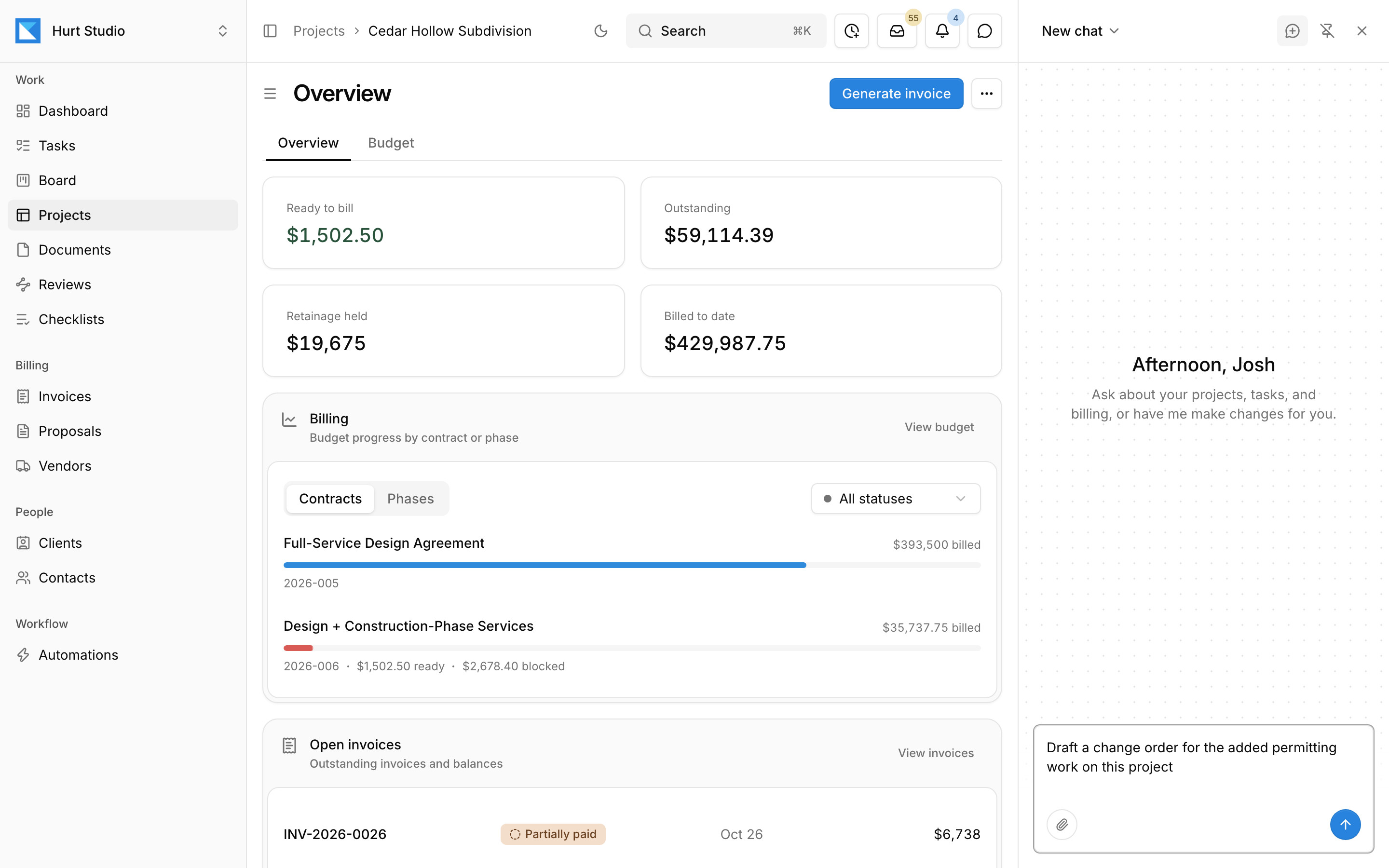
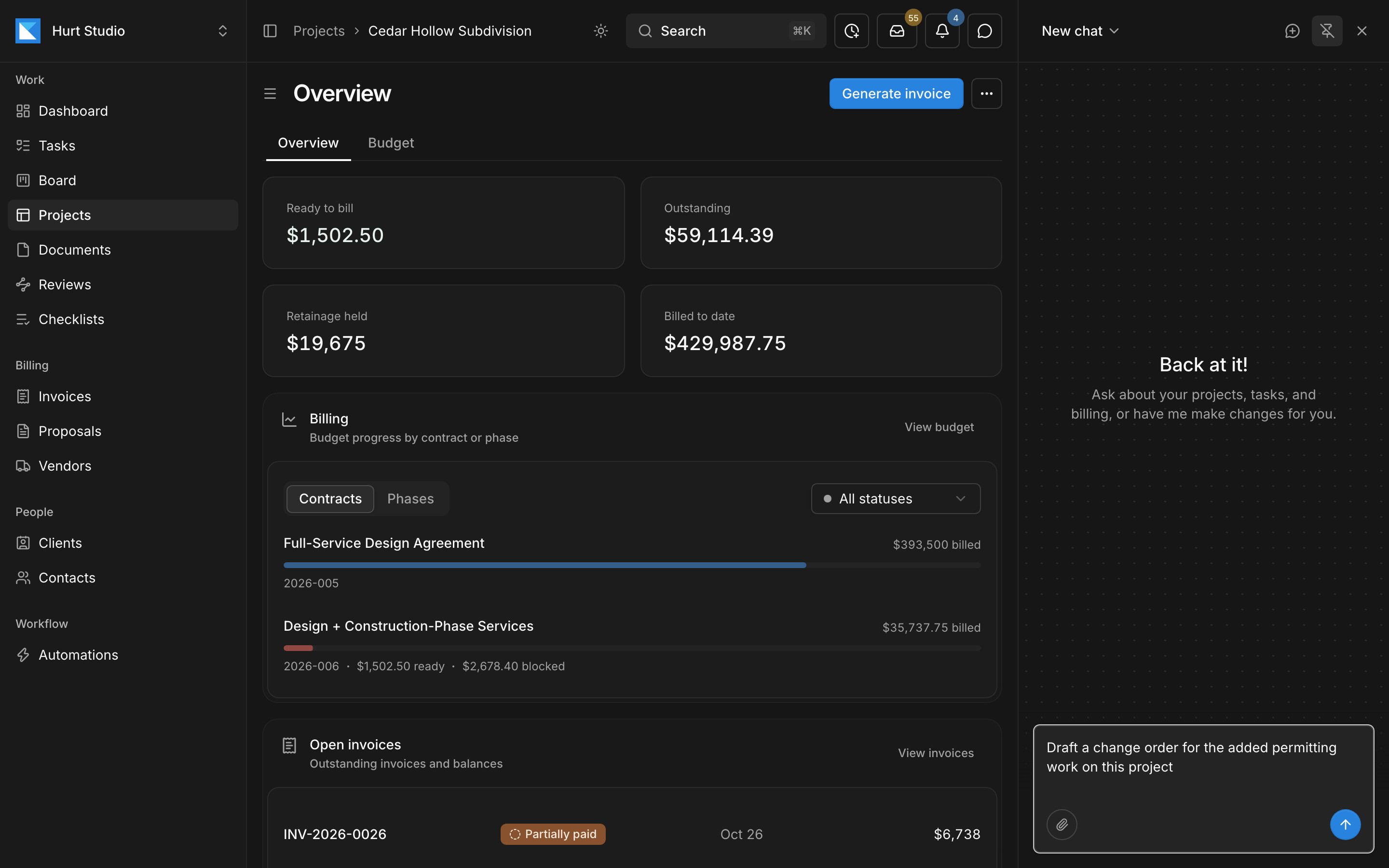
Kineo runs project email, drawing reviews, and phase billing, with an assistant that works on the same records
Kineo is built for engineering and architecture firms that keep QuickBooks Online as their ledger. Its assistant, your automations, and Claude or ChatGPT work on the same project records.
- An email address for each project, client, and contact, with automations you describe in plain language that draft the change order an imported email asks for
- An assistant beside every screen, and an MCP server so Claude, ChatGPT, and Claude Code can work on the same records with each person's permissions
- Drawing reviews against your firm's checklists, with clients, agencies, and consultants reviewing by emailed link without a seat
- Phase invoices drafted from the contract, with retainage and a G703-style continuation sheet, synced with QuickBooks Online
- $29, $49, or $79 per seat per month, with every feature on every plan and a 14-day free trial
Questions about Deltek Vantagepoint and Monograph
Sources
Details come from each product's own website and documentation, checked October 2026. Products change, so confirm anything that matters to your decision with the vendor.
- Deltek: Vantagepoint
- Deltek: Ask Dela in Vantagepoint
- Deltek: how Dela in Vantagepoint flags project issues (October 7, 2026)
- Deltek help: Vantagepoint 2026.4 release highlights (Dela Expansion and MCP server)
- Deltek help: What's new in Vantagepoint 2026.4
- Monograph pricing
- Monograph help: making changes to your plan
- Monograph for engineering firms
- Monograph help: Smart Inbox
- Monograph: Smart Time Tracking
- Monograph help: what to know about your account (API)
- Monograph: invoicing
- Monograph: payments
- Monograph: QuickBooks
- Monograph help: enabling the QuickBooks Online integration
- Monograph: AIA billing guide for architects
- Monograph and Total Synergy announcement
- Factor: questions about Factor and Monograph
- Deltek: Ajera
More comparisons
Try Kineo on a project you're working on now
Set up a project with its contract and phases, invite your team, and give the assistant some of the routine work. Your first 14 days are free, with every feature included.