Kineo vs BQE CORE
Kineo and BQE CORE both run projects, time, and phase billing with retainage for engineering and architecture firms, and both work with QuickBooks Online. BQE CORE reports on utilization and profitability, offers accounting, CRM, HR, and US payroll modules, and connects to assistants through Zapier's MCP server or its developer API. Kineo gives each project its own email address and lets its assistant, your automations, and Claude or ChatGPT work on the same project records.
Free for 14 days, with every feature included.
- Compared
- Kineo and BQE CORE
- Published by
- Kineo
- BQE CORE details
- Checked October 2026
Which one fits your firm
Choose BQE CORE if you want
- Utilization, realization, and profitability reporting, with customizable dashboards
- Accounting, CRM, HR, and US payroll as modules you add to the same product
- Project budgets, estimates, fee schedules, Gantt charts, and forecasting
- Recurring and automatic invoicing, online payments, and pay-when-paid vendor bills
- Mobile apps for iOS and Android, a dedicated account manager, and support around the clock
- An open API, and Zapier's MCP server for connecting assistants to the CORE actions you choose
Choose Kineo if you want
- An email address for each project, client, and contact, with imported mail feeding suggestions and automations
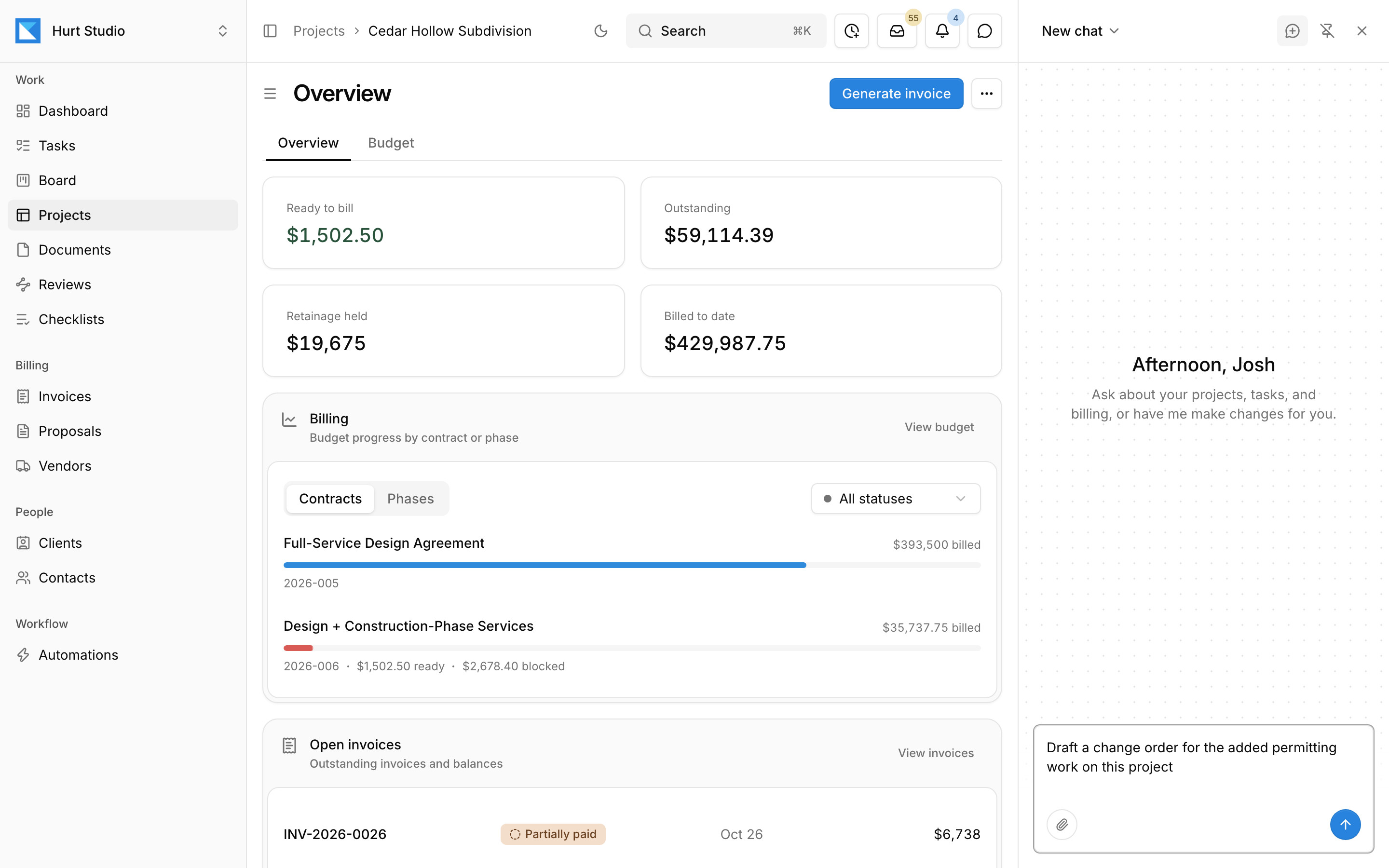
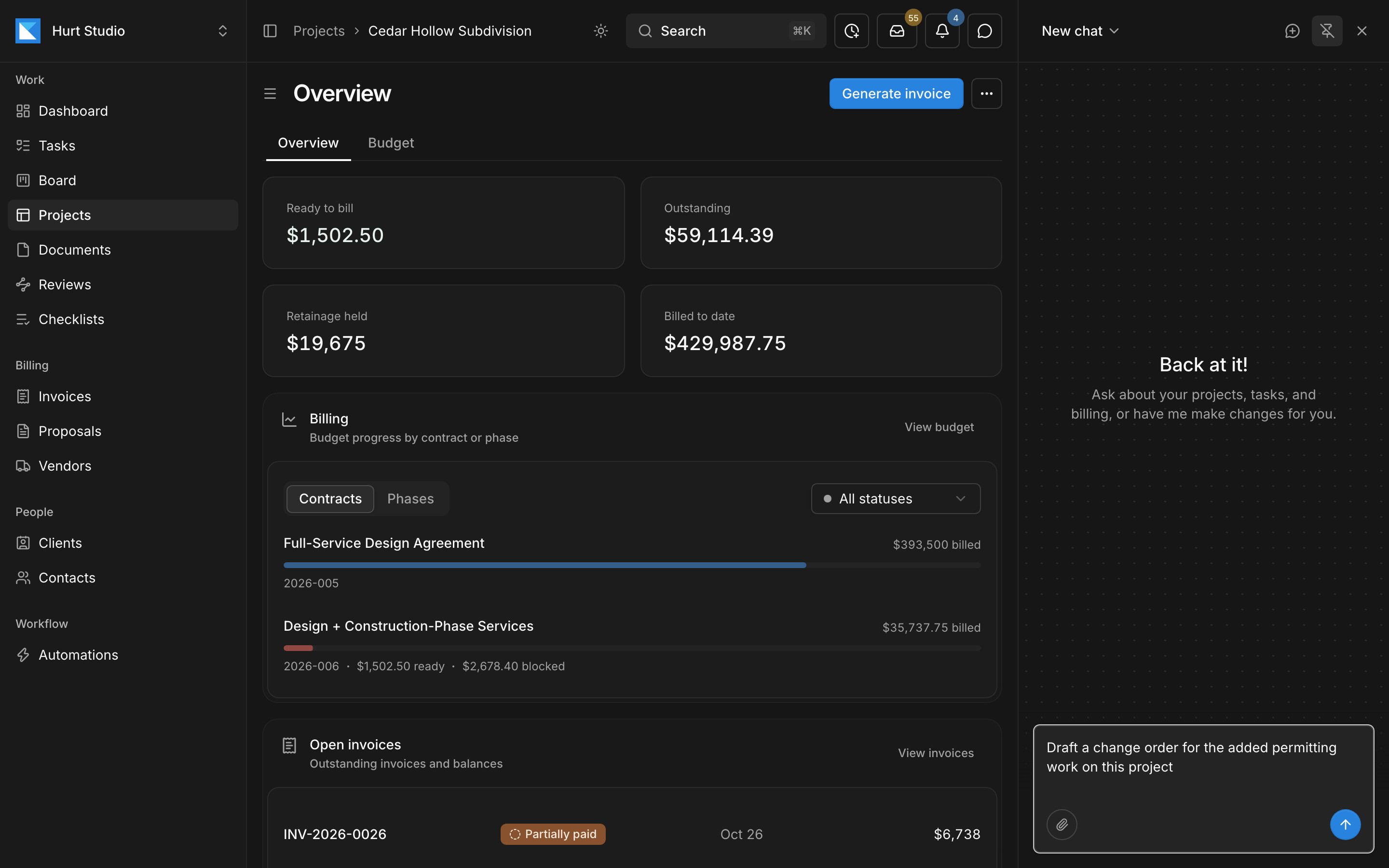
- Automations you describe in plain language, like drafting a change order when a client asks for extra work
- An assistant that drafts and edits project records, in Kineo or from Claude, ChatGPT, and Claude Code
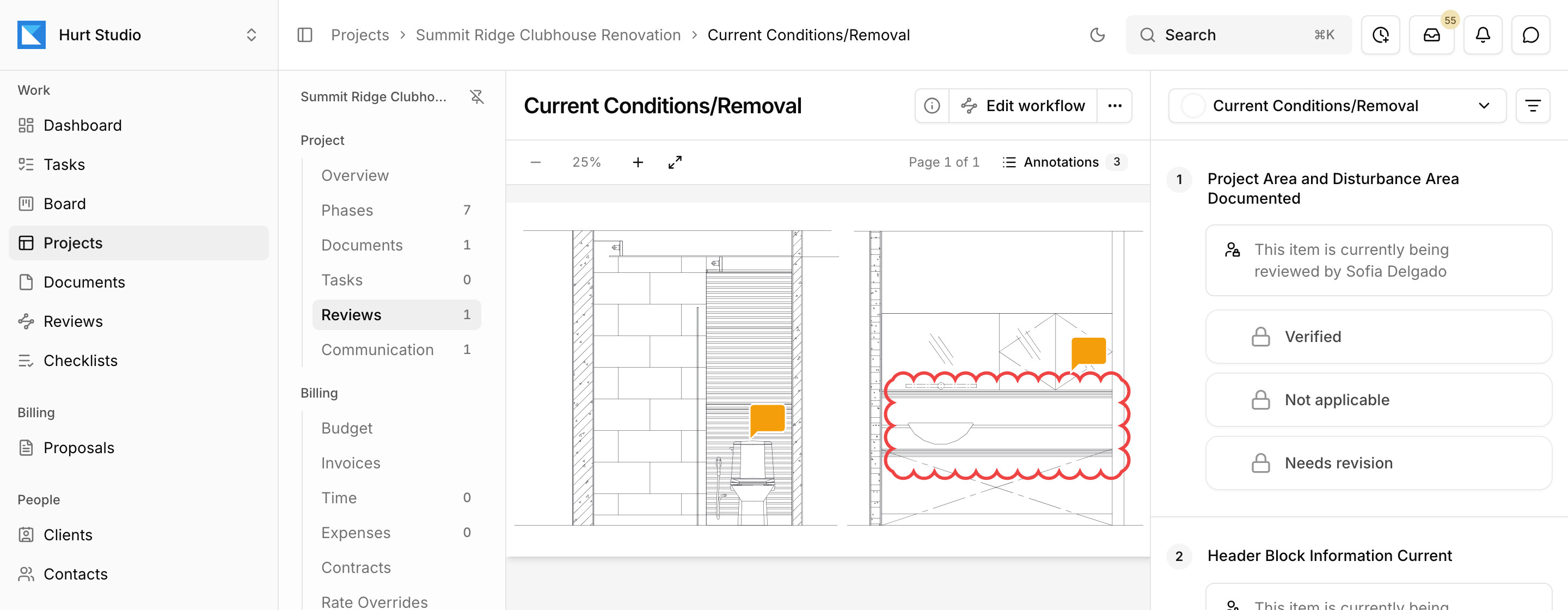
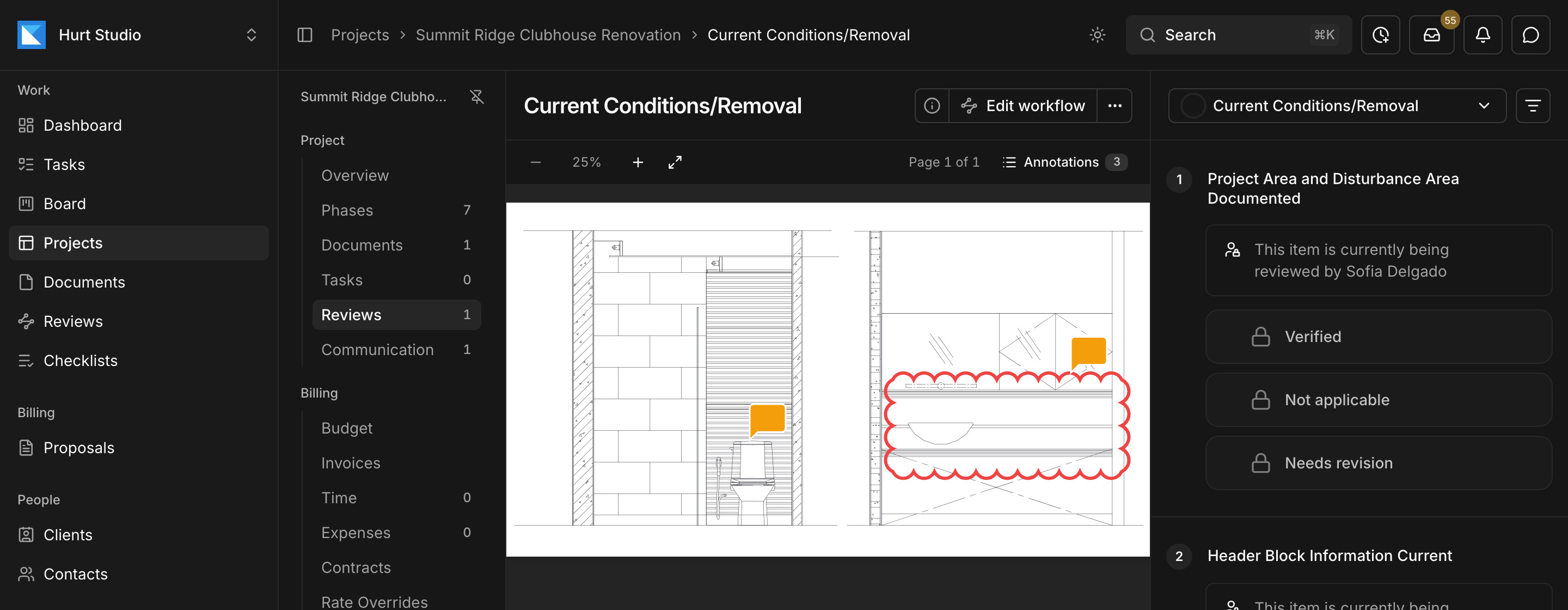
- Drawing reviews against your firm's checklists, with each markup filed under the item it answers and outside reviewers by link
- Phase invoices from the contract, with retainage, change orders, and a G703-style continuation sheet
- Published per-seat pricing with every feature on every plan, and a free trial you can start today
Kineo and BQE CORE side by side
Each product described in its own terms, from its website and documentation.
| Job | Kineo | BQE CORE |
|---|---|---|
| Assistants and automations | ||
| Assistant | A chat beside any screen that reads and edits projects, tasks, time, contracts, and billing drafts with the permissions of the person asking. | The BQE CORE AI Assistant answers questions about using CORE and its API, drawing on BQE's help and API documentation. |
| Claude, ChatGPT, and other assistants | An MCP server with sign-in, so Claude, ChatGPT, and Claude Code work on Kineo records with each person's permissions. | Zapier's MCP server for BQE CORE offers the CORE actions you select, such as creating clients and contacts or recording bill payments and deposits. |
| Automations | Rules you describe in plain language. They run when email is imported, when something happens in Kineo, on hourly workday checks, or by hand, and they draft documents, create tasks, and email your team. | Zapier workflows that connect CORE to other apps. |
| Projects and time | ||
| Proposals | An accepted proposal creates the client, the project, and its contract from the proposal's fee lines. | A proposal builder in the CRM module. |
| Time and expenses | Weekly timesheets and expenses with approval, billed at effective-dated rates. The assistant can enter a week of time from a description. | Time and expense tracking, with pre-populated timesheets. |
| Billing | ||
| Fee types | Percent-complete progress and time and materials by phase, from the contract, with expenses, change orders, retainage, and credit notes. | Phased and percent-complete billing, with flexible billing schedules. |
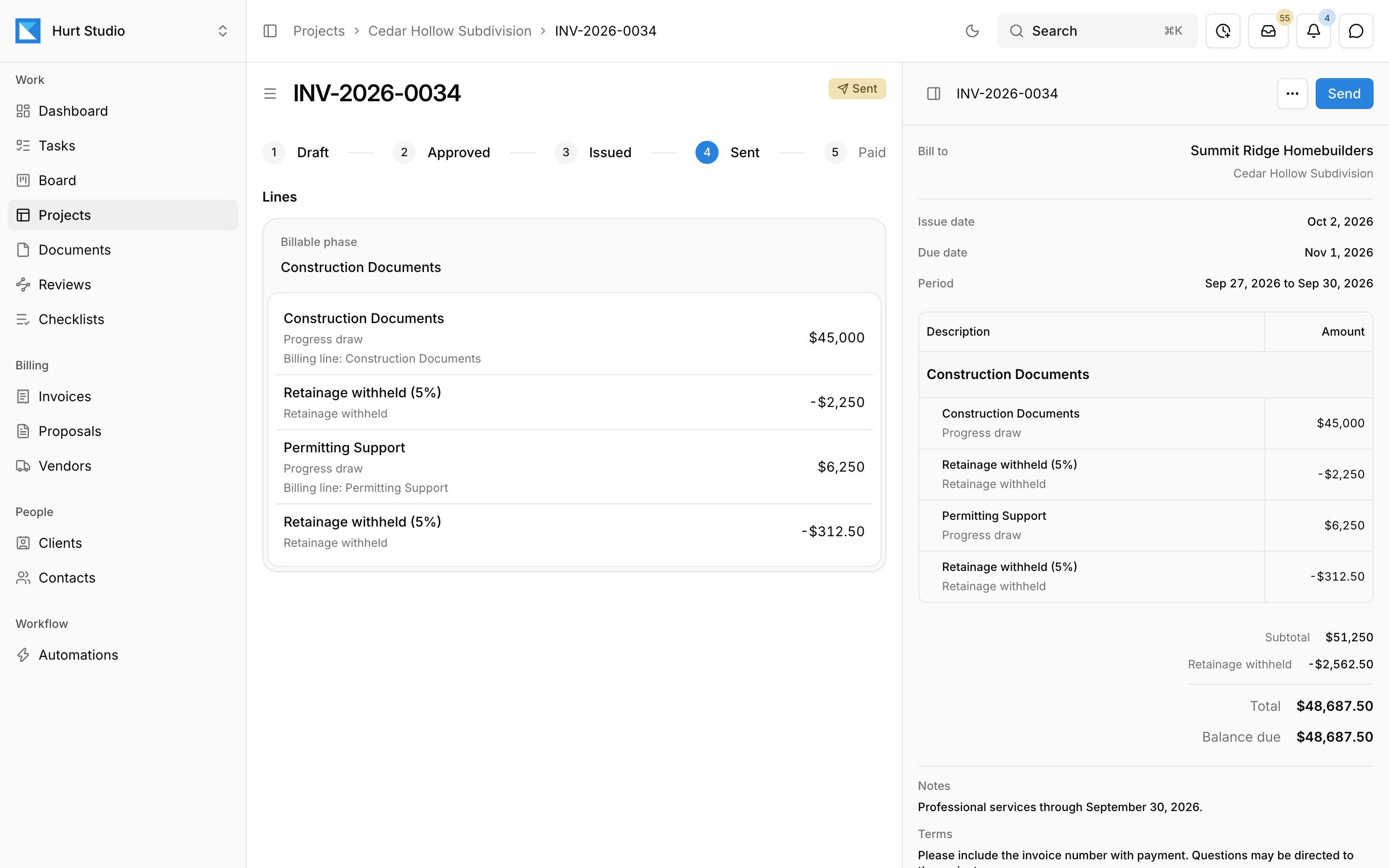
| Retainage | Withheld where the contract calls for it, and shown on each line of a G703-style continuation sheet on the invoice PDF. | A retainage percentage on a project, with an optional cap, deducted on invoices. |
| QuickBooks Online | Customers, invoices, credit memos, and payments sync, and payments recorded in QuickBooks update Kineo. | An integration that maps CORE phases to QuickBooks customers and subcustomers, on QuickBooks Online plans other than Simple Start. |
| Buying | ||
| Price | $29, $49, or $79 per seat per month, with every feature on every plan. | Priced per user, with a custom quote for Foundations and the modules you add. |
| Getting started | A 14-day free trial you start yourself, or a demo with the founder. | Purchase starts with a quote request. |
Assistants and automations
Assistant
- Kineo
- A chat beside any screen that reads and edits projects, tasks, time, contracts, and billing drafts with the permissions of the person asking.
- BQE CORE
- The BQE CORE AI Assistant answers questions about using CORE and its API, drawing on BQE's help and API documentation.
Claude, ChatGPT, and other assistants
- Kineo
- An MCP server with sign-in, so Claude, ChatGPT, and Claude Code work on Kineo records with each person's permissions.
- BQE CORE
- Zapier's MCP server for BQE CORE offers the CORE actions you select, such as creating clients and contacts or recording bill payments and deposits.
Automations
- Kineo
- Rules you describe in plain language. They run when email is imported, when something happens in Kineo, on hourly workday checks, or by hand, and they draft documents, create tasks, and email your team.
- BQE CORE
- Zapier workflows that connect CORE to other apps.
Projects and time
Proposals
- Kineo
- An accepted proposal creates the client, the project, and its contract from the proposal's fee lines.
- BQE CORE
- A proposal builder in the CRM module.
Time and expenses
- Kineo
- Weekly timesheets and expenses with approval, billed at effective-dated rates. The assistant can enter a week of time from a description.
- BQE CORE
- Time and expense tracking, with pre-populated timesheets.
Billing
Fee types
- Kineo
- Percent-complete progress and time and materials by phase, from the contract, with expenses, change orders, retainage, and credit notes.
- BQE CORE
- Phased and percent-complete billing, with flexible billing schedules.
Retainage
- Kineo
- Withheld where the contract calls for it, and shown on each line of a G703-style continuation sheet on the invoice PDF.
- BQE CORE
- A retainage percentage on a project, with an optional cap, deducted on invoices.
QuickBooks Online
- Kineo
- Customers, invoices, credit memos, and payments sync, and payments recorded in QuickBooks update Kineo.
- BQE CORE
- An integration that maps CORE phases to QuickBooks customers and subcustomers, on QuickBooks Online plans other than Simple Start.
Buying
Price
- Kineo
- $29, $49, or $79 per seat per month, with every feature on every plan.
- BQE CORE
- Priced per user, with a custom quote for Foundations and the modules you add.
Getting started
- Kineo
- A 14-day free trial you start yourself, or a demo with the founder.
- BQE CORE
- Purchase starts with a quote request.
Give every project, client, and contact its own email address
Forward or copy mail to a project's, client's, or contact's own address from any email account, so each message comes in addressed to the work it's about.
When someone on your team imports a message, Kineo reads it and its attachments, files it under the project, and, where suggestions are turned on, suggests the tasks and comments it asks for. Automations watching the inbox can draft the change order or proposal a client asks for and create a task for the project manager to check it. Every imported message also lands in one inbox for the whole firm.
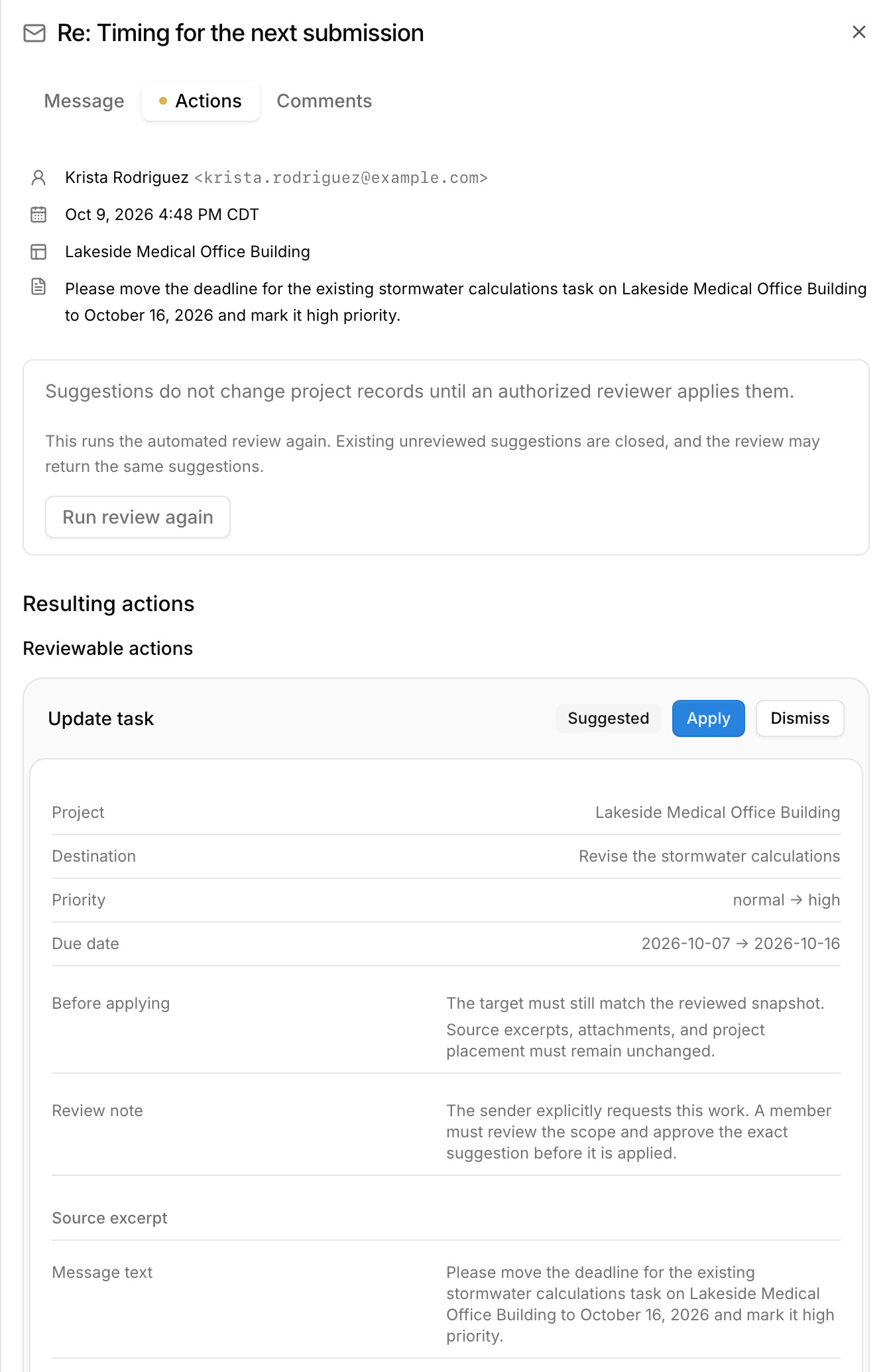
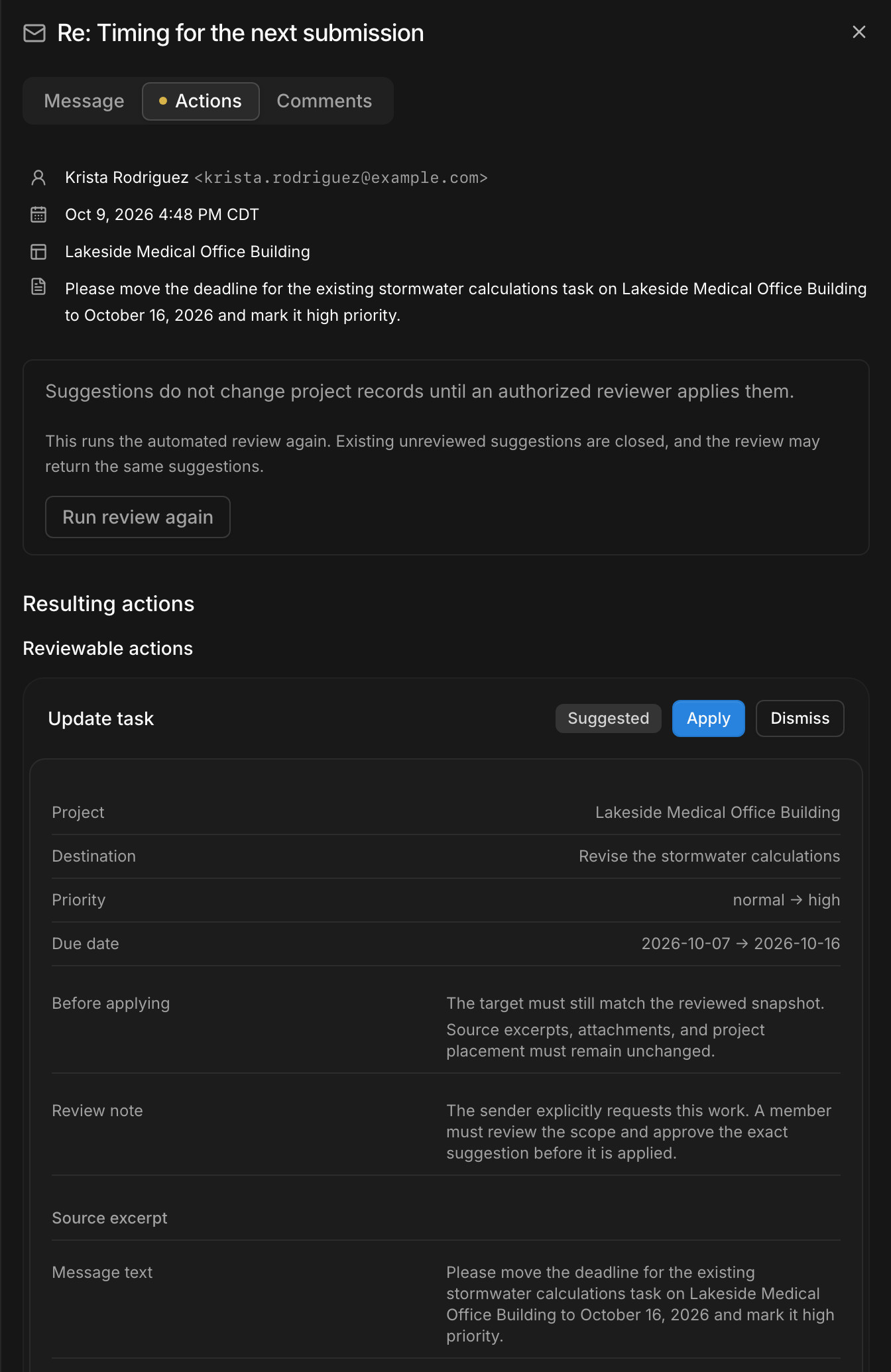
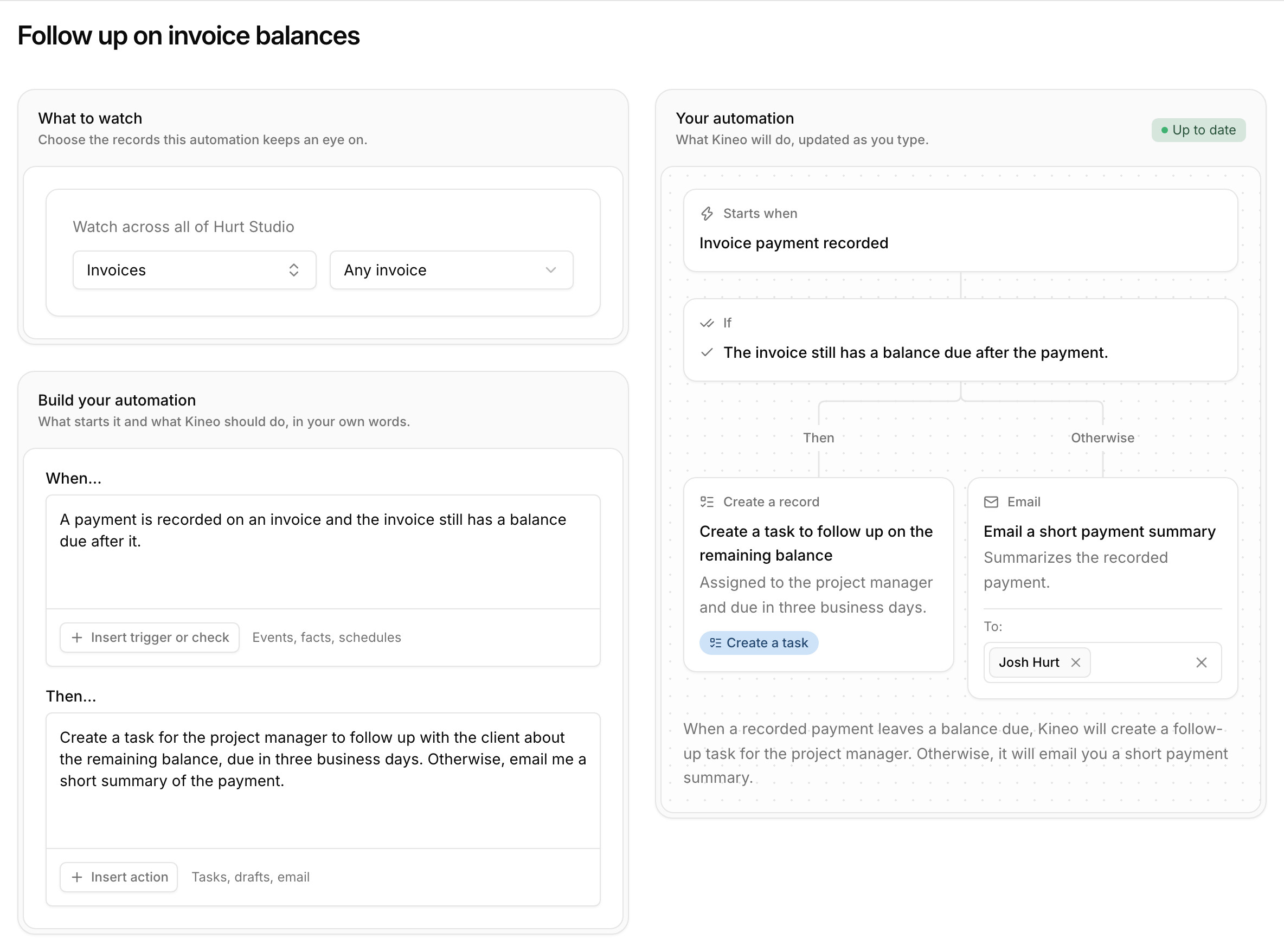
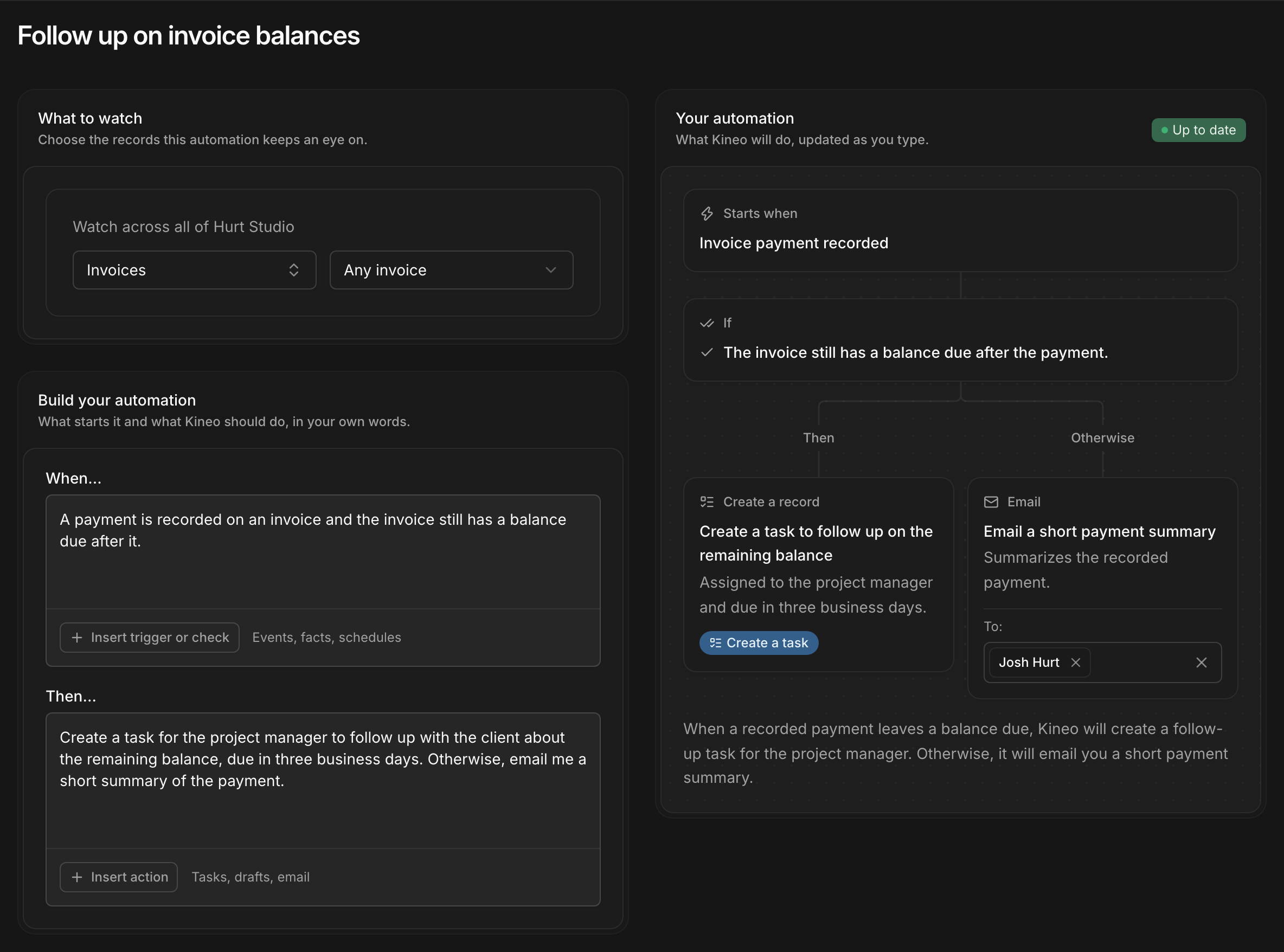
Describe an automation in plain language and see each step before it runs
Pick what to watch, such as a project's inbox, an invoice, or a phase, then write when to act and what to do. Kineo lays out the steps as you type. Automations start when an email is imported, when something happens in Kineo, on an hourly check during the workday, or when you run them by hand.
They draft proposals, contracts, change orders, invoices, and credit notes, create tasks, and email the people on your team you choose. Drafts wait for someone with permission to review them, and if a step fails, the steps that succeeded are kept so you can retry the rest.
Ask Kineo's assistant to work on your project records
Open Kineo's assistant beside any screen and ask in plain language. It reads projects, contracts, time, and email. It can set up phases and tasks, enter a week of time, record a payment, or draft the proposal, change order, or invoice that follows from what it read, with the permissions of the person asking.
Work on Kineo from Claude, ChatGPT, or Claude Code
BQE CORE connects to assistants through Zapier's MCP server, where you choose which CORE actions an assistant can use, or through its developer API.
If you're evaluating both, connect each one to the same assistant, give them the same request, and compare what the assistant can read and change.
Kineo runs an MCP server. MCP is the open standard assistants use to connect to other software. Each person signs in with their Kineo account, and the assistant gets the same tools as Kineo's own, within that person's permissions. It can read a project's email, check the phases and fee lines on its contract, draft a change order or the month's invoice, record a payment, and enter a week of time.
In Claude Code, run claude mcp add --transport http kineo https://app.gokineo.com/mcp, then sign in from /mcp.
Review drawings against your firm's checklists, with outside reviewers by link
Kineo's drawing reviews run against your firm's own checklists. Each markup is filed under the checklist item it answers, and each item gets a decision. Review workflows route each set to its reviewers, with reminders, and a markup can become a task for the person revising the sheet. Clients, agencies, and consultants review through an emailed link with the same drawings, markup tools, and checklist as your team, without an account or a seat.
Bill each phase from the contract, with retainage and QuickBooks Online
When a client accepts a proposal, its fee lines become the contract. Kineo drafts each invoice by phase from percent complete and approved time and expenses, withholds retainage where the contract calls for it, and adds a G703-style continuation sheet to the PDF. Customers, invoices, credit memos, and payments sync with QuickBooks Online, which stays your ledger.
When extra work is agreed, an approved change order adjusts the contract's fee lines or phase budgets from its effective date, and the next invoice drafts from the updated contract.
What each costs
Kineo
- Team: $29 per seat per month, or $290 per seat per year
- Team Plus: $49 per seat per month, or $490 per seat per year
- Team Pro: $79 per seat per month, or $790 per seat per year
- Every feature on every plan, with more assistant usage and storage on Team Plus and Team Pro
- Outside reviewers and client portal contacts free, without a seat
- A 14-day free trial, then monthly or annual billing
BQE CORE
- Foundations, with time and expense, billing, project management, and reporting
- Accounting, CRM, HR, and US payroll as separate modules
- Per-user pricing, with a custom quote for the modules you choose
- Its developer API needs a paid CORE subscription
- Zapier's MCP server for BQE CORE uses two Zapier tasks for each call
BQE's pricing page lists CORE's modules and features without prices and quotes each firm, checked October 2026. Kineo's prices are in US dollars.
Try Kineo on one project while you keep BQE CORE
Run one current project in Kineo for a billing cycle, with BQE CORE still running the rest of the firm, and compare the results with the people who'll use it.
- 1
Set up one project
Add a current project with its client, contract, and phases, and invite the people working on it.
- 2
Send it real email
Turn on the project's email address and forward it the next client request.
- 3
Write one automation
Describe one routine job, such as drafting a change order when a client asks for extra work.
- 4
Review the next drawing set
Route it through your checklist, with an outside reviewer if the project has one.
- 5
Bill the month
Draft the invoice and have your billing lead compare it with the one BQE CORE produces.
Questions about Kineo and BQE CORE
Sources
BQE CORE's details come from its own website and documentation, checked October 2026. Products change, so confirm anything that matters to your decision with BQE CORE.
More comparisons
Try Kineo on a project you're working on now
Set up a project with its contract and phases, invite your team, and give the assistant some of the routine work. Your first 14 days are free, with every feature included.