Deltek Ajera vs Monograph
Deltek Ajera and Monograph both run projects, time, and billing for engineering and architecture firms, and they differ most in where the books are kept. Ajera combines project management and project-based accounting in one application, and Ajera Cloud adds Ask Dela for questions about your Ajera data. Monograph runs projects, staffing, and invoicing alongside QuickBooks Online, which keeps the books, and builds AI into jobs like reading forwarded email.
Free for 14 days, with every feature included.
- Compared
- Deltek Ajera and Monograph
- Published by
- Kineo, which makes competing software
- Details
- Checked October 2026
Which one fits your firm
Choose Deltek Ajera if you want
- Project management and project-based accounting in one application, with your ledger in the same system
- Ask Dela on Ajera Cloud, answering questions about clients, projects, and project financials and drafting messages
- Timesheet Assist suggestions from recent work and upcoming assignments, and receipt capture that fills in expense reports
- Invoices generated from project data and routed for approval, with bank transactions matched in Ajera
- Schedule Manager and role-based dashboards for workload, utilization, and firm performance
- Client portal payments that reconcile back into Ajera, with the Ajera Payments add-on
Choose Monograph if you want
- Phased project plans with fees, consultants, and budgets tracked together in MoneyGantt
- Staffing, capacity, and utilization planning across the firm, with AI staffing recommendations and profit reports
- AI that turns forwarded email into bills, expenses, and notes, and suggests timesheet entries from your calendar
- Clients paying invoices online by card or ACH through Stripe, with an AR Assistant that follows up on late invoices for firms using those payments
- Consultant budgets, bills, and payouts managed by phase alongside your own fees
- QuickBooks Online as the ledger, with invoices, consultant bills, and expenses sent to it and costs brought back
Deltek Ajera and Monograph side by side
Each product described in its own terms, from its website and documentation.
| Job | Deltek Ajera | Monograph |
|---|---|---|
| Accounting | ||
| Where the books are kept | Project-based accounting in the same application as your projects, with bank transaction matching. | Invoices, consultant bills, and expenses go to QuickBooks Online, and costs come back. Paid status syncs both ways on QuickBooks Plus or Advanced. US firms only. |
| Client payments | The Ajera Payments add-on lets clients pay invoices electronically through a portal, and payments reconcile back into Ajera. | Clients pay online by card or ACH through Stripe, and you can pay consultants from Monograph. |
| Projects and people | ||
| Scheduling and staffing | Schedule Manager builds project timelines, assigns people by availability, and shows workload across the team. | Availability and utilization by person, capacity planning, and AI staffing recommendations based on experience and capacity. |
| Time and expenses | Timesheet Assist suggests entries from recent work and upcoming assignments, and receipt capture fills in expense reports from a phone. | Smart Time suggests entries from your calendar and desktop activity, and you can log time in plain language on mobile. |
| Reporting | Role-based dashboards and A&E reports on project health, utilization, budgets, and firm performance. | Project tracking, firm performance, and profit reports that combine revenue, labor, and consultant costs. |
| Billing | ||
| Invoices | Invoices generated from project data, routed for approval, and delivered electronically. | Fixed fee, hourly, consultant, expense, retainer, and percent complete invoices, with batch drafts and reminders until paid. |
| Assistants and connections | ||
| Assistant | Ask Dela, for Ajera Cloud customers, answers questions about clients, contacts, projects, and project financials, including custom fields, and drafts communications you can copy or email. Each company turns it on and chooses which roles can use it. | AI built into specific jobs: Smart Inbox, Smart Time, the AI Budget Builder, AI staffing recommendations, AI Budget Risk Ranking, and the AR Assistant. |
| Connecting other software | A documented API that a programmer can use to read, create, update, or delete projects, clients, contacts, employees, expense reports, and other records. | Connections to QuickBooks Online, Stripe, and Google or Microsoft 365 calendars. Its help center says it doesn't offer an open API. |
| Buying | ||
| Price | Priced by quote from Deltek. | Its pricing calculator estimates $60 to $75 per seat per month, billed annually. |
| Getting started | Purchase starts with a demo or a sales conversation with Deltek. | Purchase starts with a demo. |
Accounting
Where the books are kept
- Deltek Ajera
- Project-based accounting in the same application as your projects, with bank transaction matching.
- Monograph
- Invoices, consultant bills, and expenses go to QuickBooks Online, and costs come back. Paid status syncs both ways on QuickBooks Plus or Advanced. US firms only.
Client payments
- Deltek Ajera
- The Ajera Payments add-on lets clients pay invoices electronically through a portal, and payments reconcile back into Ajera.
- Monograph
- Clients pay online by card or ACH through Stripe, and you can pay consultants from Monograph.
Projects and people
Scheduling and staffing
- Deltek Ajera
- Schedule Manager builds project timelines, assigns people by availability, and shows workload across the team.
- Monograph
- Availability and utilization by person, capacity planning, and AI staffing recommendations based on experience and capacity.
Time and expenses
- Deltek Ajera
- Timesheet Assist suggests entries from recent work and upcoming assignments, and receipt capture fills in expense reports from a phone.
- Monograph
- Smart Time suggests entries from your calendar and desktop activity, and you can log time in plain language on mobile.
Reporting
- Deltek Ajera
- Role-based dashboards and A&E reports on project health, utilization, budgets, and firm performance.
- Monograph
- Project tracking, firm performance, and profit reports that combine revenue, labor, and consultant costs.
Billing
Invoices
- Deltek Ajera
- Invoices generated from project data, routed for approval, and delivered electronically.
- Monograph
- Fixed fee, hourly, consultant, expense, retainer, and percent complete invoices, with batch drafts and reminders until paid.
Assistants and connections
Assistant
- Deltek Ajera
- Ask Dela, for Ajera Cloud customers, answers questions about clients, contacts, projects, and project financials, including custom fields, and drafts communications you can copy or email. Each company turns it on and chooses which roles can use it.
- Monograph
- AI built into specific jobs: Smart Inbox, Smart Time, the AI Budget Builder, AI staffing recommendations, AI Budget Risk Ranking, and the AR Assistant.
Connecting other software
- Deltek Ajera
- A documented API that a programmer can use to read, create, update, or delete projects, clients, contacts, employees, expense reports, and other records.
- Monograph
- Connections to QuickBooks Online, Stripe, and Google or Microsoft 365 calendars. Its help center says it doesn't offer an open API.
Buying
Price
- Deltek Ajera
- Priced by quote from Deltek.
- Monograph
- Its pricing calculator estimates $60 to $75 per seat per month, billed annually.
Getting started
- Deltek Ajera
- Purchase starts with a demo or a sales conversation with Deltek.
- Monograph
- Purchase starts with a demo.
Where each one keeps the books
Deltek describes Ajera as project management and project-based accounting in one application, and its FAQ sets that against QuickBooks and other general accounting tools that aren't built to manage projects. Invoices come from project data in the same system, Ajera's automation matches bank transactions, and with the Ajera Payments add-on, client payments reconcile back into Ajera.
Monograph runs projects and invoicing and leaves the books in QuickBooks Online. Invoices, consultant bills, and expenses go from Monograph to QuickBooks, project and labor costs come back for its profit reports, and paid status updates in both systems on QuickBooks Online Plus or Advanced. The integration works for US firms.
If your accountant wants to stay in QuickBooks Online, Monograph is set up for that. If you'd like accounting in the same system as your projects, that's how Ajera is built. Either way, bring your accountant to the demo.
Scheduling, staffing, and time
Ajera's Schedule Manager builds project timelines, assigns people based on availability, and shows workload across the team, and its role-based dashboards report project health and utilization. Timesheet Assist suggests entries from recent work and upcoming assignments, and receipt capture reads receipts from a phone into expense reports.
Monograph plans each project by phase, with fees, milestones, and deliverables, and MoneyGantt tracks planned, logged, invoiced, and paid amounts. Staffing views show availability and utilization, with AI staffing recommendations based on experience and capacity. Smart Time suggests timesheet entries from your calendar and desktop activity.
Invoices and client payments
Ajera generates invoices from project data, routes them for approval, and delivers them electronically. With the Ajera Payments add-on, clients pay through a portal and each payment reconciles back into Ajera.
Monograph invoices fixed fees, hourly work, consultants, expenses, retainers, and percent complete, and it can draft a batch of invoices at once. Reminders repeat until an invoice is paid. Clients pay online through Stripe at 3% for cards and 1% for ACH, capped at $15, and for firms using those payments, the AR Assistant follows up on late invoices. Consultant bills and payouts are tracked by phase.
Ask Dela and Monograph's AI
Ask Dela is for Ajera Cloud customers. It answers plain-language questions about clients, contacts, projects, and project financials, including custom fields, and remembers the conversation for follow-up questions. It can analyze a project's financials and summarize concerns, or draft a communication such as an email asking a client to pay overdue invoices, which you can copy or send. An administrator turns it on and chooses which roles can use it, and people only see data their role allows.
Monograph's AI is built into specific jobs. Its Smart Inbox gives the firm one forwarding address, and AI pulls bills, expenses, deliverables, notes, files, and contacts out of forwarded mail for someone to review before anything is added. The AI Budget Builder drafts budgets from contracts, and the AR Assistant follows up on late invoices by email and phone.
For connecting other software, Ajera documents an API that a programmer can use to build integrations that read and update its records. Monograph connects to QuickBooks Online, Stripe, and Google or Microsoft 365 calendars.
What each costs
Deltek Ajera
- Priced by quote from Deltek, starting with a demo or a sales conversation
- Ask Dela is available to Ajera Cloud customers
- Ajera Payments, for client payments through a portal, is an add-on
Monograph
- Grow plan, sold as an annual subscription
- Its pricing calculator estimates $60 to $75 per seat per month, billed annually
- At least five seats at renewal
- Pipeline, for leads, is a separate add-on
- Purchase starts with a demo
- Online payments through Stripe cost 3% for cards and 1% for ACH, capped at $15
Ajera's terms come from Deltek's Ajera pages, checked October 2026. Ask Deltek for a quote that lists the users, hosting, implementation, and add-ons you need, including Ajera Cloud if you want Ask Dela. Monograph's figures come from its pricing calculator and help center, checked October 2026. Its final price comes from a quote after a demo.
Where Kineo fits
Kineo publishes this page. This section describes what Kineo does, for engineering and architecture firms whose needs match it.
Kineo runs projects, drawing reviews, and phase billing with QuickBooks Online as your ledger
Kineo is built for engineering and architecture firms that keep QuickBooks Online as their ledger. Its assistant, your automations, and Claude or ChatGPT work on the same project records.
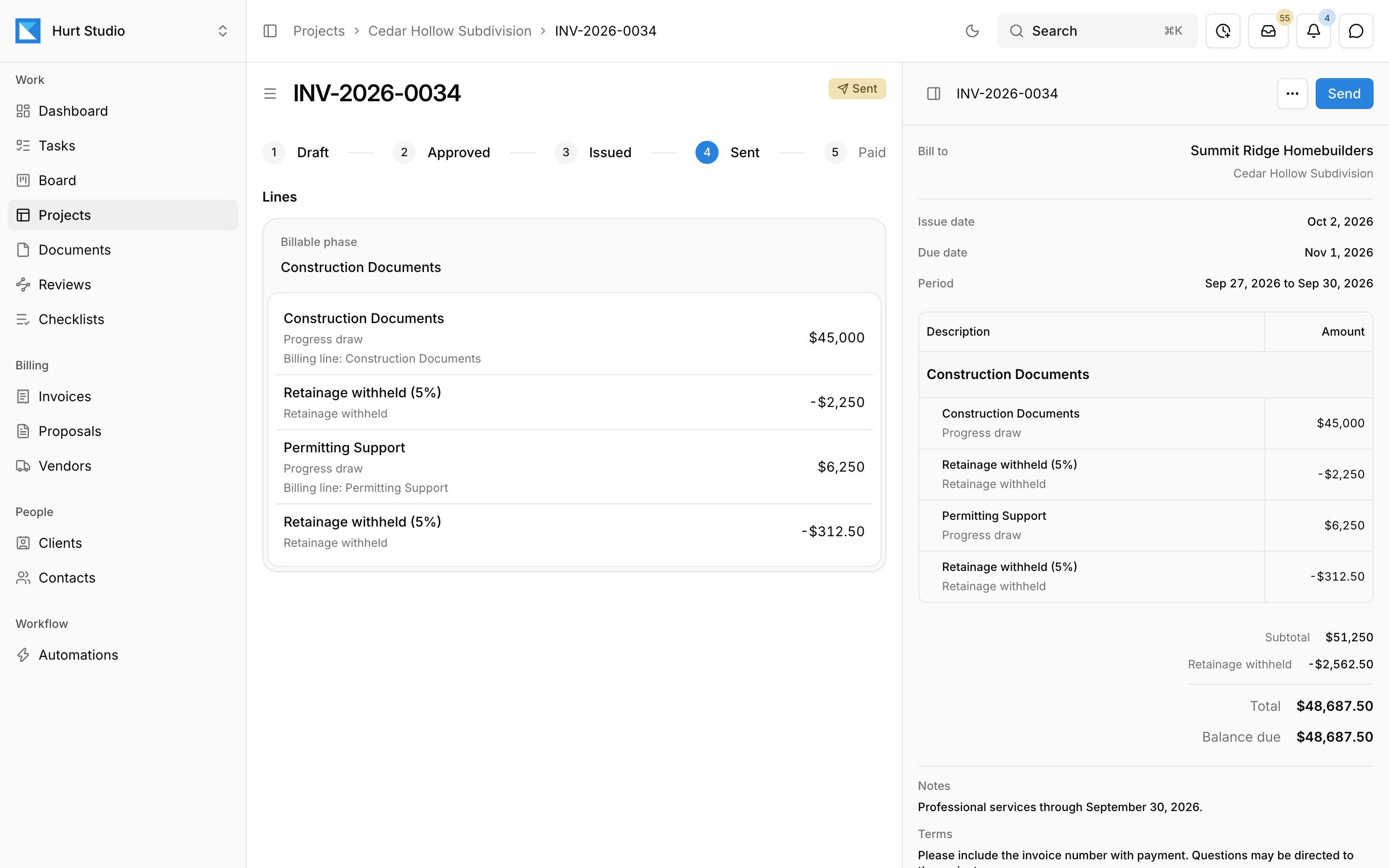
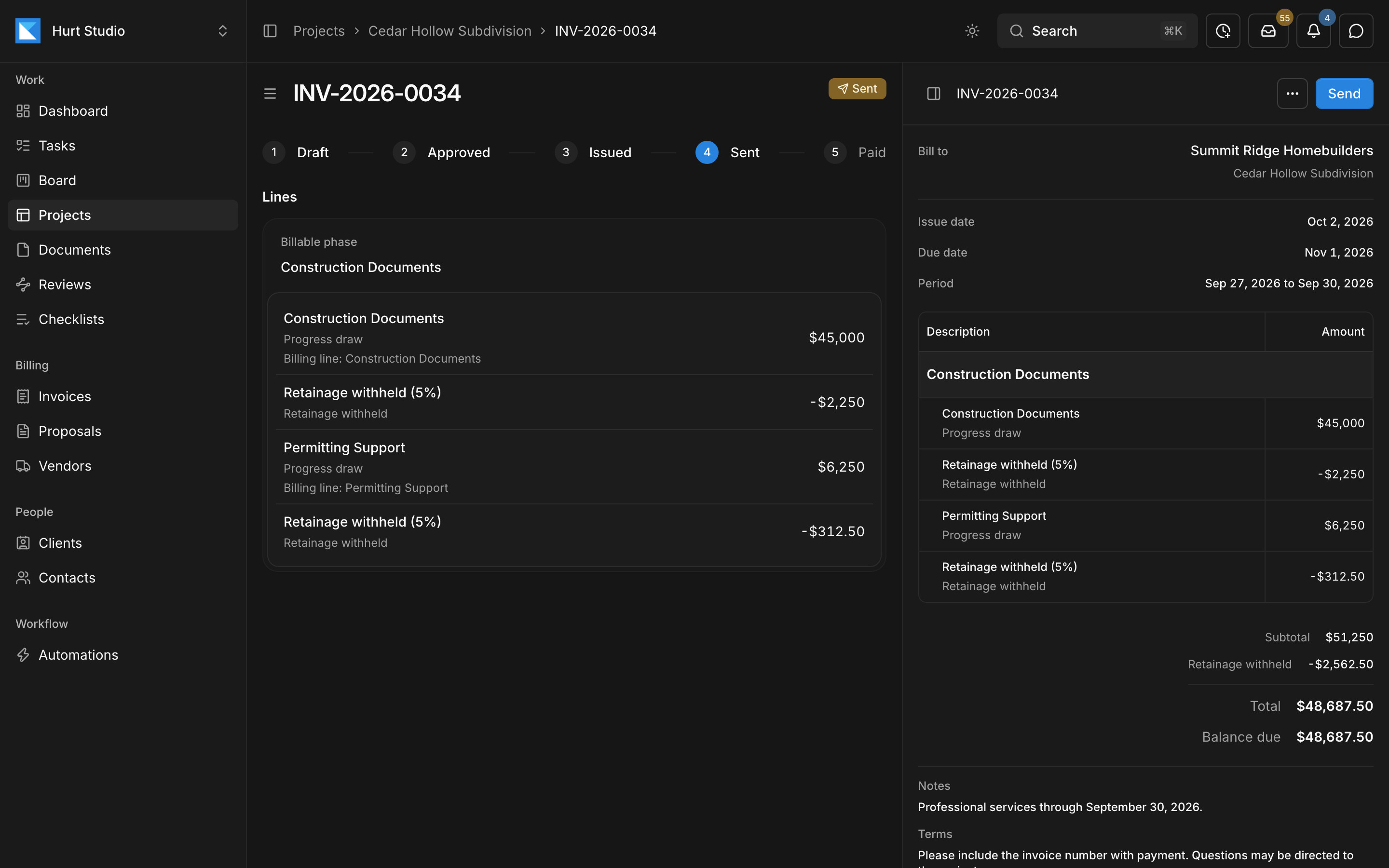
When a client accepts a proposal, its fee lines become the contract. Kineo drafts each invoice by phase from percent complete and approved time and expenses, withholds retainage where the contract calls for it, and adds a G703-style continuation sheet to the PDF. Customers, invoices, credit memos, and payments sync with QuickBooks Online, which stays your ledger.
- An email address for each project, client, and contact, with automations you describe in plain language that draft the change order an imported email asks for
- An assistant beside every screen, and an MCP server so Claude, ChatGPT, and Claude Code can work on the same records with each person's permissions
- Drawing reviews against your firm's checklists, with clients, agencies, and consultants reviewing by emailed link without a seat
- Phase invoices drafted from the contract, with retainage and a G703-style continuation sheet, synced with QuickBooks Online
- $29, $49, or $79 per seat per month, with every feature on every plan and a 14-day free trial
Questions about Deltek Ajera and Monograph
Sources
Details come from each product's own website and documentation, checked October 2026. Products change, so confirm anything that matters to your decision with the vendor.
- Deltek: Ajera
- Deltek: Ajera features and add-ons
- Deltek: Ask Dela in Ajera
- Deltek: What's new in Ajera 10.3
- Deltek: Ajera Payments
- Monograph pricing
- Monograph help: making changes to your plan
- Monograph for engineering firms
- Monograph help: Smart Inbox
- Monograph: Smart Time Tracking
- Monograph help: what to know about your account (API)
- Monograph: invoicing
- Monograph: payments
- Monograph: QuickBooks
- Monograph help: enabling the QuickBooks Online integration
- Monograph: AIA billing guide for architects
- Monograph and Total Synergy announcement
- Factor: questions about Factor and Monograph
- Deltek help: about the Ajera API
- Deltek: Vantagepoint
More comparisons
Try Kineo on a project you're working on now
Set up a project with its contract and phases, invite your team, and give the assistant some of the routine work. Your first 14 days are free, with every feature included.